Flipping the Narrative
Sometimes, to solve a problem, you need to take a step back and flip the conversation. This was the case for the installation settings of apps built using a custom element.
The Challenge
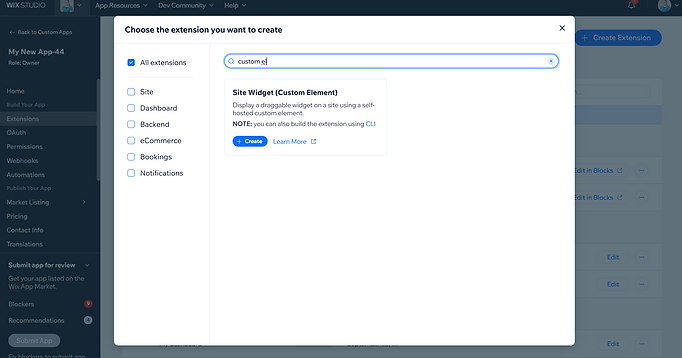
When an app contains a custom element widget is added to a Wix site, the developer needs to set the widget size behavior. In the first version of this project, these settings were convoluted and hard to understand.
The First Draft
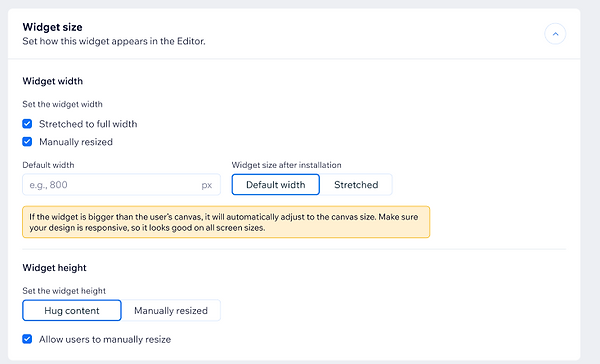
In the first version, users first set whether the widget could be stretched to full width, and also whether it could be resized once added to a site. Then they set what the widget's default width was, and at what size it was added to a site. This configuration was confusing and the dependencies between the settings weren't clear (if a widget can't be stretched to full width, it can't be added at full width. If it's added at full width and can't be manually resized, then it doesn't need a default width.
The Solution
When I joined the project, I realized that if you flip the conversation, it becomes much smoother and easier to understand. First I ask the developer whether the widget is added to a site at default width or at full-width, and then whether or not users can toggle it between full-width and the default width. This simplified the interface and made the dependencies clearer. It also gave a better idea what the default width was used for.


The Impact
Flipping the conversation to start with how the widget is added to a site made it easier to understand. It also resulted in a much simpler interface with fewer choices for the user.